
It’s been a while since my last review and today I’m back, with another Asus (yes, another one), this time is the first Asus EEE PC Flare to reach the market, the Asus 1225B.
This is part of the new line of budget ultraportables Asus is going to push this year and succeeds the Seashell line, with devices like the 1215N and the 1215B. In fact, the Asus 1225B is a direct successor of the 1215B and tries to improve where the previous generation has failed. You’ll find bellow if it’s up to the task or not.
Anyway, the 1225B brings a new casing, improved finishings, a new screen, a new trackpad and a slightly faster AMD Fusion hardware platform inside, while keeping pretty much the same price point. Are these enough to make you want one? I’d say yes, but there are plenty of competitors in the 11.6 inch notebooks class, so there’s much to debate on this.
Enough with the introduction though, go ahead and read the review bellow for thorough details on each aspect of the Asus EEE PC Flare 1225B.
Later update: While the Asus EEE PC 1225B is not old and obsolete, we’ve continued to cover the recent Asus laptops in our articles and reviews, and you’ll find more about their ultra-compact models in this article, as well as more about their more premium ultrabooks over here.
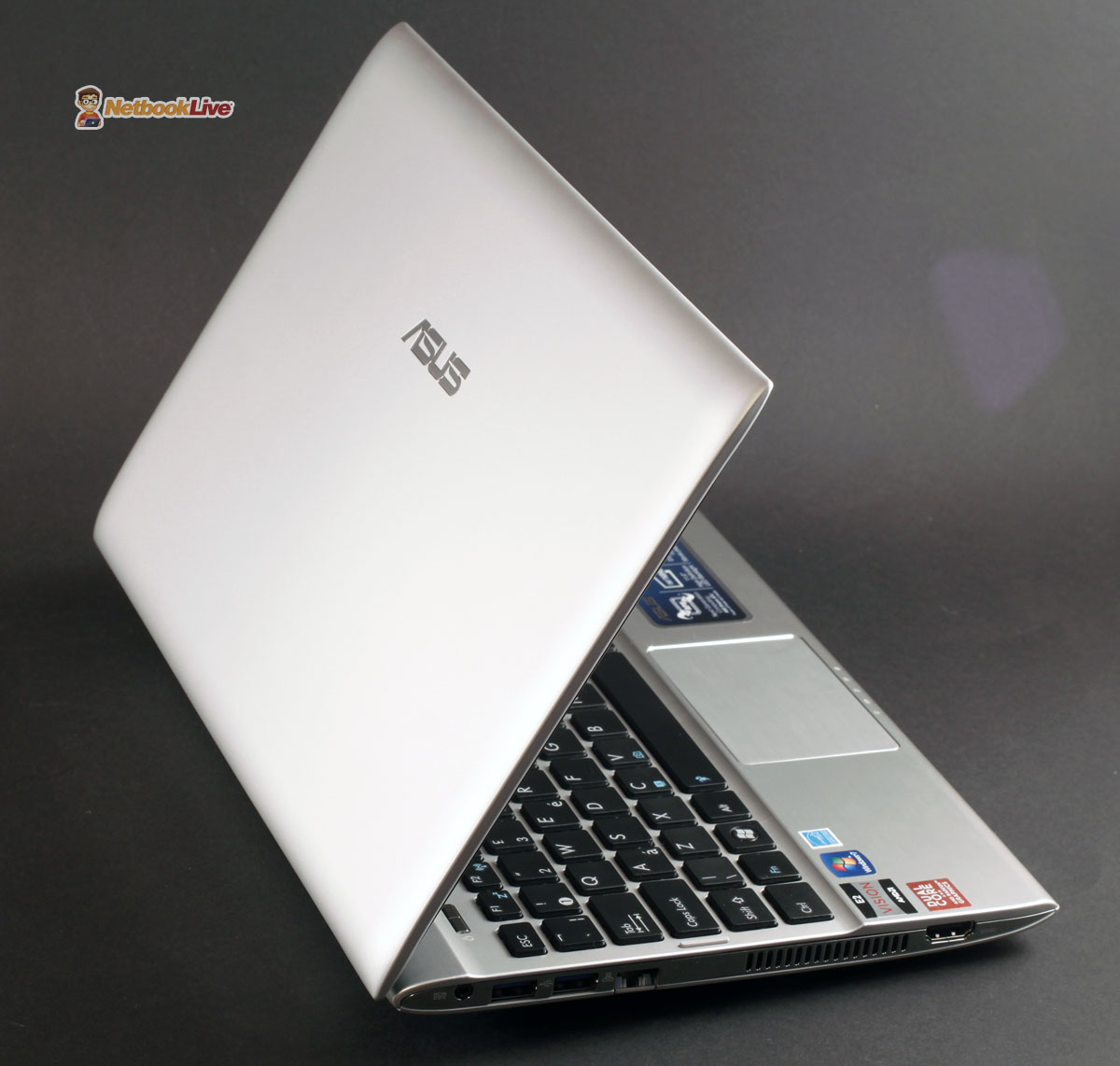
Asus EEE PC 1225B – new budget ultraportable, with a bunch of tweaks
Asus EEE PC 1225B specs sheet
But first, have a look at the specs, so you’ll know what to expect here:
| Asus EEE PC Flare 1225B | |
| Screen | 11.6 inch, 1366 x 768 px resolution, LED, glossy |
| Processor | AMD Fusion E-450 APU, 1.65 GHz |
| Chipset | AMD Hudson D1 |
| Video | AMD Radeon HD 6320 with AMD Turbo Core |
| Memory | 4 GB DDR3 1333 MHz |
| Hard-disk | 750 GB 5400 rpm |
| Connectivity | Bluetooth, Wireless N |
| Ports | 2 x USB 3.0, 1 x USB 2.0, VGA, HDMI, LAN, card-reader, webcam with protection lock |
| Baterry | 6 Cell 5200 mAh 56 Wh |
| Operating system | Windows 7 Home Premium 64 bit |
| Size | 296 x 200 x 35 mm |
| Weight | about 1.44 kg (3.2 pounds) |
So, basically, what we have here is the top version of the Asus 1225B line. This is a preproduction sample, so final configs might be a bit different, but over here in Eastern Europe the top pick will come with the config above, but a smaller 320 GB HDD.
In the US there will also be a cheaper and slower version, with an AMD C60 APU. Plus, I doubt Asus will sell this with 4 GBs of memory and 64 bit OS, but since it does that over here, they might do the same in Western Europe and in the US.
Video Review for the Asus 1225B
If you don’t feel like reading the whole story, the video review bellow is for you. However, you’ll be missing some details that I might not have covered properly in the video.
Design and exterior
Like I’ve said above, the Asus 1225B is part of the new EEE PC Flare line, a massive redesign from the previous SeaShell series. So, while the previous line was thicker on the back and got slimmer as it advanced towards the front, this one brings a more even shape, with the edges a bit slimmer than the middle, like a flare.
The unit I got came in silver, but the 1225B will be available in stores in a bunch of different colors, including White, Black, Red and a Charcoal Grey. The entire body is painted in that given color, and the interior too.
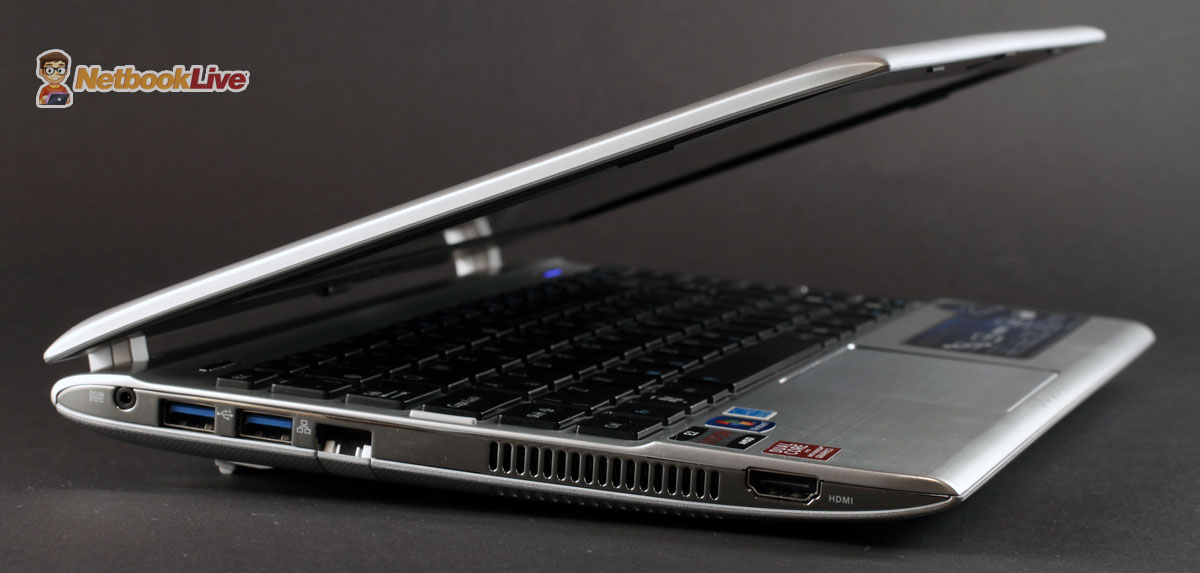
Comes with a new design that I for one fancy a lot
Plastic is used for the casing, with a matte finish for the lid-cover and a textured finish for the bottom. Opening the lid, you’ll get a sheet of metal covering the palm rest and the area under and above the keys and it does feel solid, while looking good. One thing you might notice is the rather narrow palm-rest, as the keyboard was placed in the middle of the laptop and there’s plenty of unused space left on top that could have translated in a bit of extra space bellow. But you’ll get used to this.
The bezel around the screen is quite thick, as the device is actually not more compact or lighter than the previous series, despite having an 11.6 inch screen now. It is covered in a nice textured plastic though, which looks and feels a bit like the aluminum you find on the Zenbooks, so it won’t gather fingerprints and smudges as easy. On top of the screen there’s a webcam with a Privacy Lock, mic and a small LED that let’s you know when the camera is active.
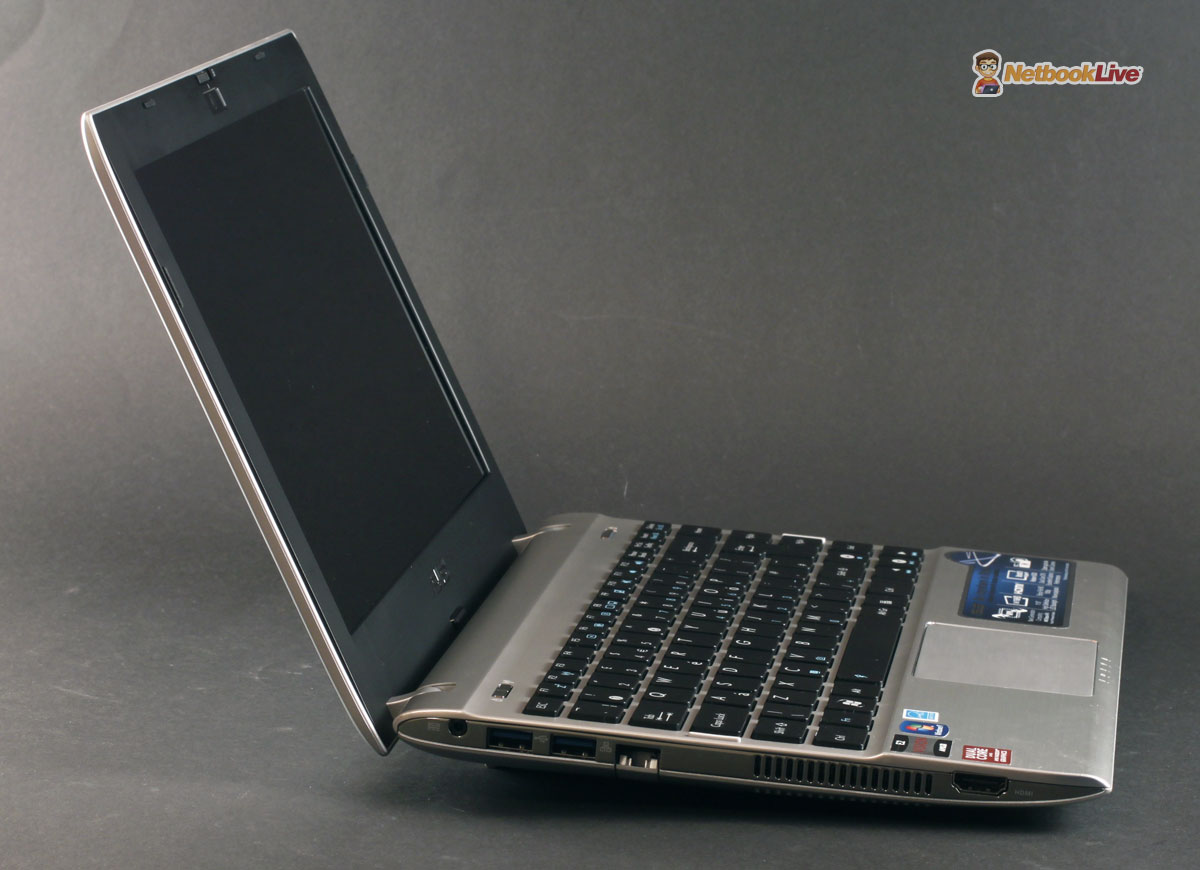
Better materials and finishing used for the case
On the sides you get all the needed ports, including 2 x USB 3.0 and 1 x USB 2.0 slots, HDMI, VGA, LAN, Card-reader. Asus also got a new ports layout, grouping the important slots in the upper left part and leaving the right part rather free, so you can easily use a mouse there. You’ll also notice there are some chromed decorations on the sides as well, which actually look great, but can get easily scratched if you’re not careful.
More on the ports and the sides in the pictures bellow. Plus in that video review.
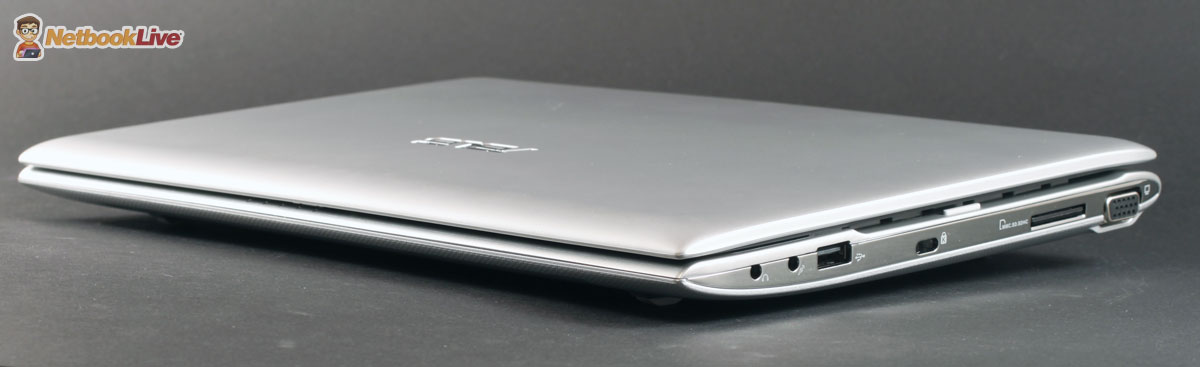
Front and Right side

Back and left side
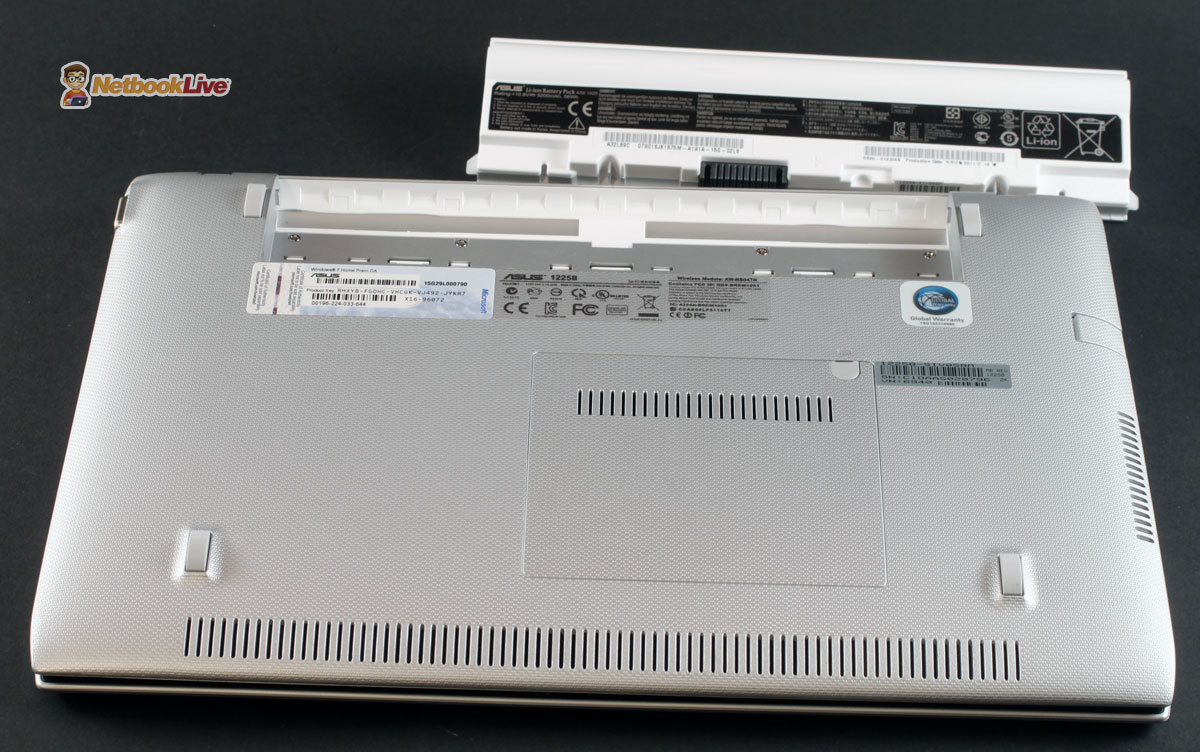
Bottom
Keyboard and Trackpad
The keyboard on the Asus EEE PC 1225B is the standard one we’ve seen on Asus portables for a while. The unit I got to test comes with the UK/European layout, that means a tall Enter and a small Left Shift. You’ll have a proper Shift in the US, lucky you. Still, that’s not my biggest issue, that extra row of keys on the right of Enter and Backspace is and it does take some time to get used to.
Overall, there’s little flex on this keyboard, the keys are proper sized, spaced and offer good travel and response, although they are a bit flimsy if you don’t press them firmly and in their middle. When compared to that keyboard on the 1215B, I would say these come with a slightly softer finish, which makes them overall more comfortable to use.
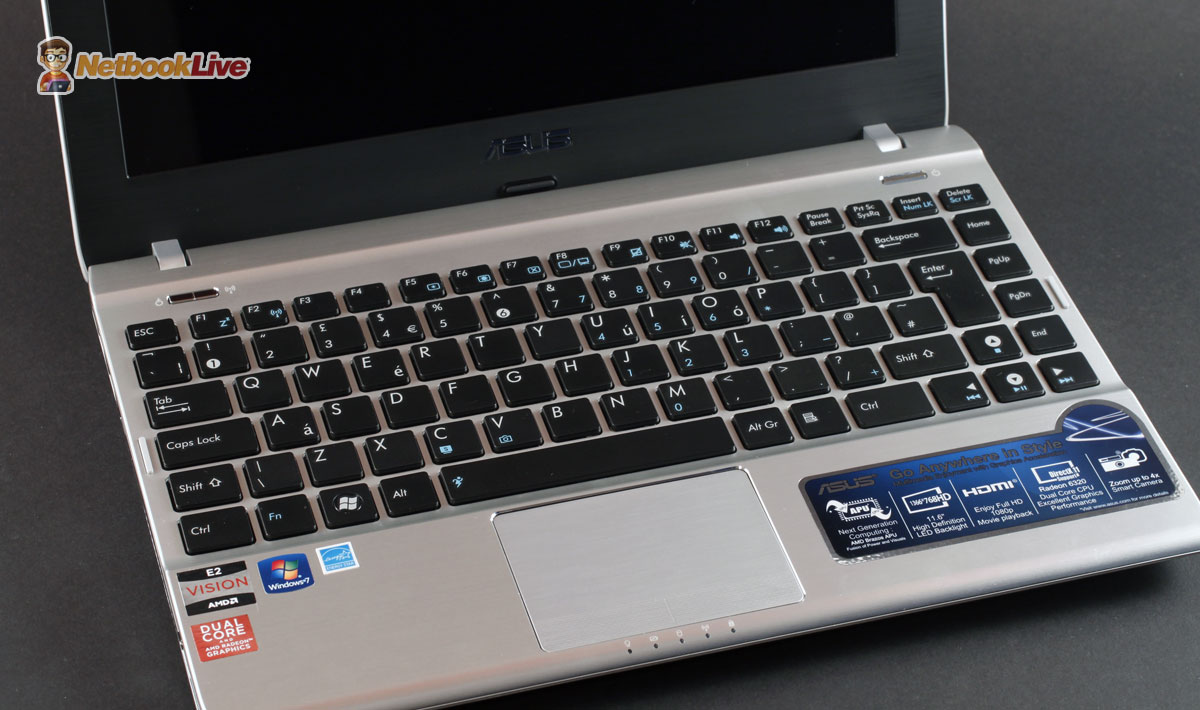
Same keyboard, with some layout issues
The trackpad was completely redesigned. It’s pretty cramped and definitely more compact than before, but it is better emphasized from that palm rest. Its plastic surface is smooth and both responsive and accurate. However, the new click buttons integrated with the touchpad aren’t as good, as they are pretty stiff and you’ll have to press them hard to register a command, which is going to be a problem when trying to right-click (as left clicking is usually performed by taping the touchpad).
Overall though, I’m satisfied with this trackpad. Now, you might know that the Asus 1215B had massive problems with faulty trackpads. I for one did not encounter those on the unit I tested last year and nor did I encounter any problems on this new 1225B. So I would be inclined to say the problems are gone, since Asus employed a different trackpad altogether here, but that’s yet to be seen once these devices do hit the stores.
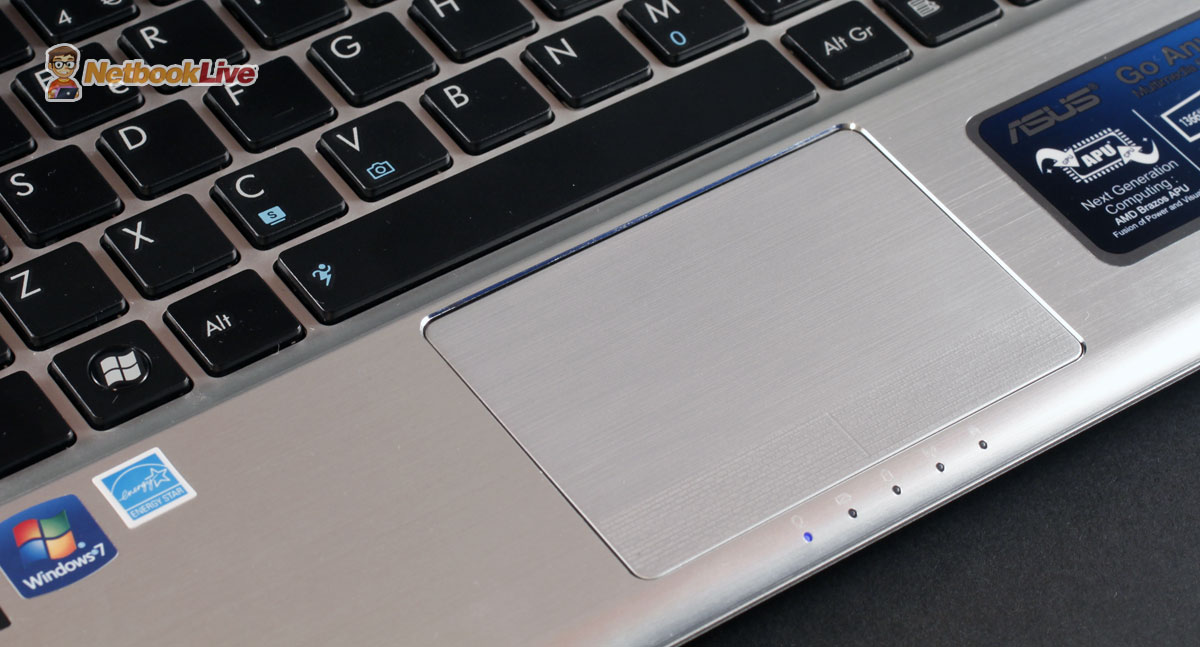
New trackpad, accurate but with stiff integrated buttons. Status LEDs are out of the way, beneath the trackpad
Display
The screen is for sure the only thing I truly resent on the 1225B. Asus replaced the 12.1 inch display they had on the previous generations with a slightly smaller 11.6 inch screen, mainly in order to cut costs (seems like 11.6 inch panels are cheaper than the 12.1 inch ones). With that in mind and knowing that the 1215B offered a rather poor display, my hopes weren’t high for the new EEE PC Flare, not at all.
And boy was I right. Now, there are some good parts: the screen offers 1366 x 768 HD resolution and it’s fairly bright, plus the bezel, while rather thick, is now made from some matte textured plastic, so is no longer a fingerprint magnet. However, it does come with a glossy finish that makes it unusable in strong light, poor contrast and awful viewing angles.
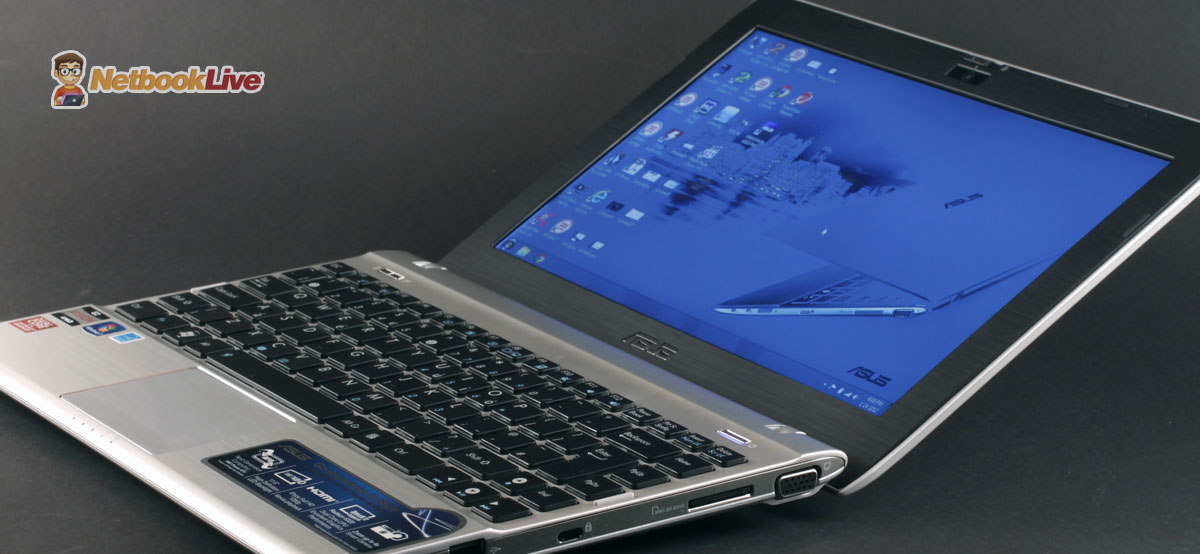
The poor viewing angles are killing this screen
This last detail was a problem before and I can’t say for sure that the screen of the 1225B is worse than the one on the 1215B. But, as the clip and some of the pictures prove, it’s incredibly difficult to set this screen’s inclination right in order to get a proper viewing angle, especially when watching some darker images (like in some movies). The screen does bend quite a bit on the back, which does help, but in the end the issue still remains: the panel is overall poor.
Of course, that’s also the case for many other budget portables like this one, but I really hoped Asus will at least improve this aspect on the 1225B, as this was my biggest complaint about the previous generation.
Hardware and performances
The Asus EEE PC Flare 1225B is built on an AMD Fusion platform, like its predecessor the 1215B. However, the 1225B will only be available with the top of the line AMD Fusion APUs, the C60 Ontario and the E450 Zacate. The version I’ve tested comes with the faster AMD E450 processor, 4 GB of DDR3 memory and 750 GB HDD.
The AMD E450 incorporates a dual-core processor running at 1.65 GHz and a Radeon HD 6320 graphic chip, with 80 Shaders clocked at 508 MHz. It brings support for DDR3 1333 MHz memory and incorporates AMD’s Turbo Core technology, the one we first saw on the Llano architecture. However, unlike there, on the Zacate line Turbo Core addresses only the graphics. This way, the GPU can increase its frequency to 600 MHz when only some of the graphic shaders are working and the maximum TDP of the chip has not been reached, thus increasing overall graphic performances for given applications. This should translate in 10 to 20 % increase in synthetic tests like 3DMark Vantage.
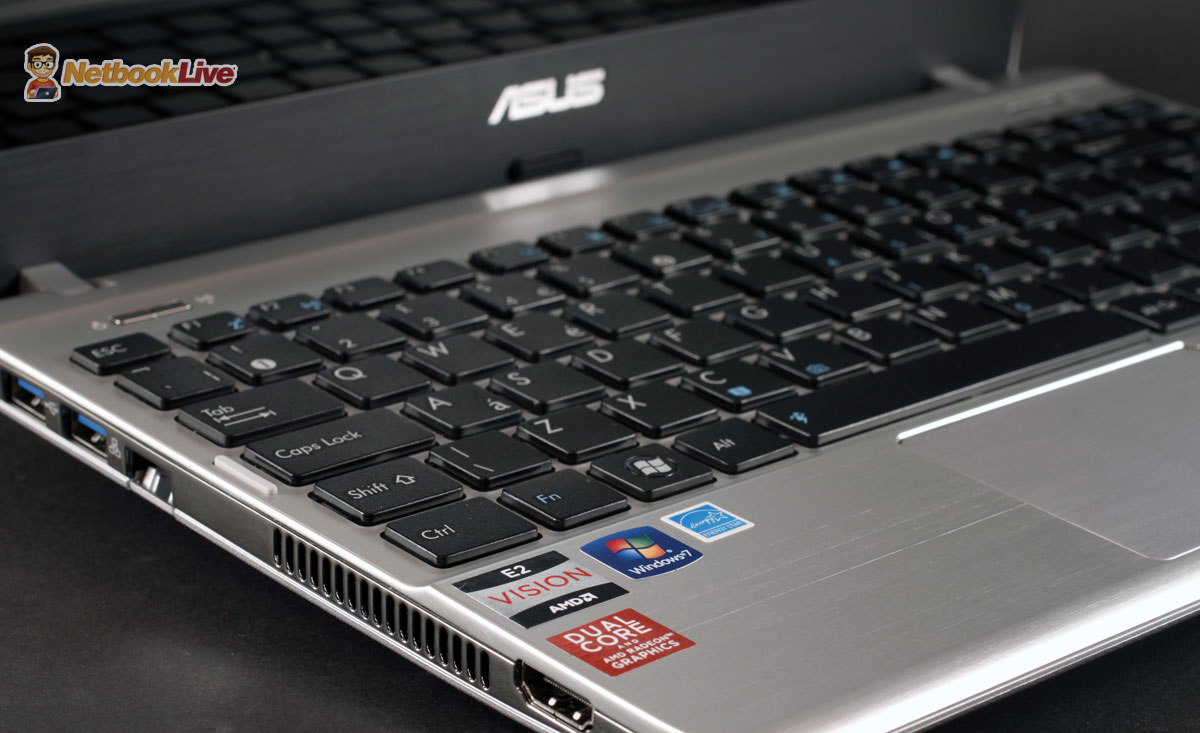
The AMD platform inside makes the Asus 1225B versatile for daily use and multimedia
In your everyday use of the 1225B, you’ll notice that the little laptop can cope fine with basic tasks and multitasking, just don’t try to run too many applications at the same time and don’t turn on resources hungry apps like Photoshop for instance. Those can get the platform fast on its knees.
Still, apps like a browser, text or photo editor, chatting program, multimedia player and similar programs you’ll use everyday work jut fine. The laptop can also cope with all kinds of Full HD video content, self-stored or streamed (including Netflix, Hulu, Youtube) and can even deal with games. A bit older titles (Warcraft 3, COD: Modern Warfare 2, Starcraft 2) will work alright, for the newer ones though you’ll have to trim down details and even resolution.
The pictures bellow will also tell you a bit more about performances, as they are results for the synthetic benchmarks I ran on this 1225B. Remember though that we’re dealing with a sample unit, so results can improve on the final products.
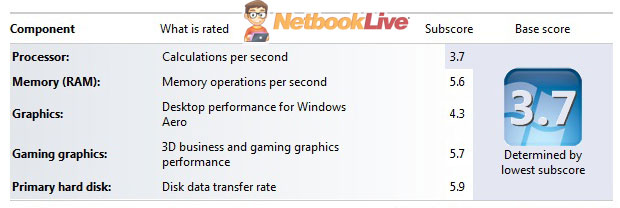
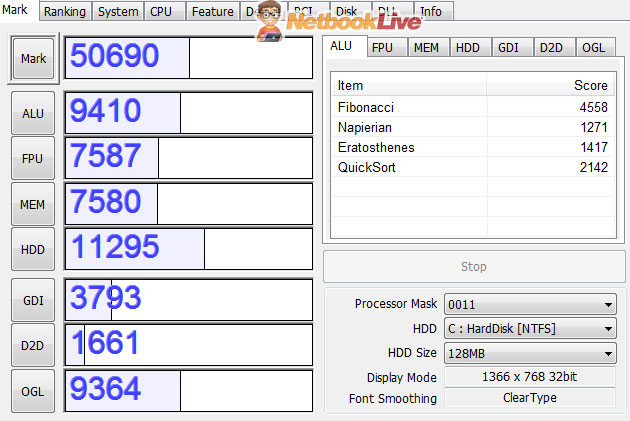
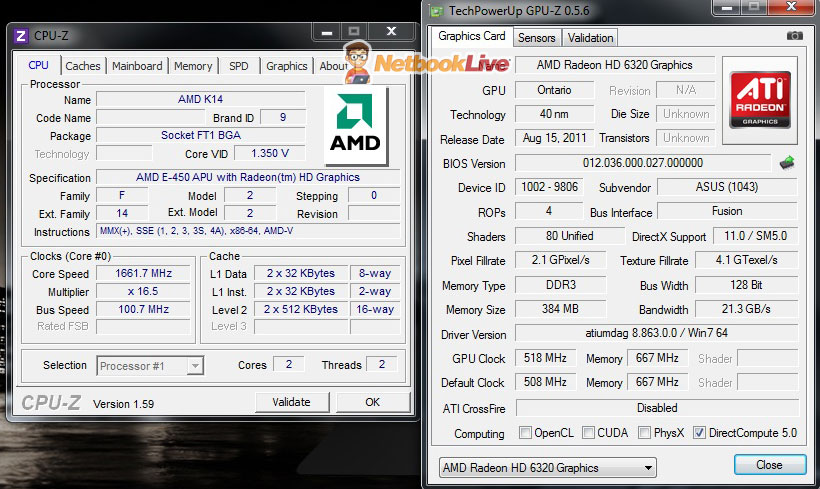
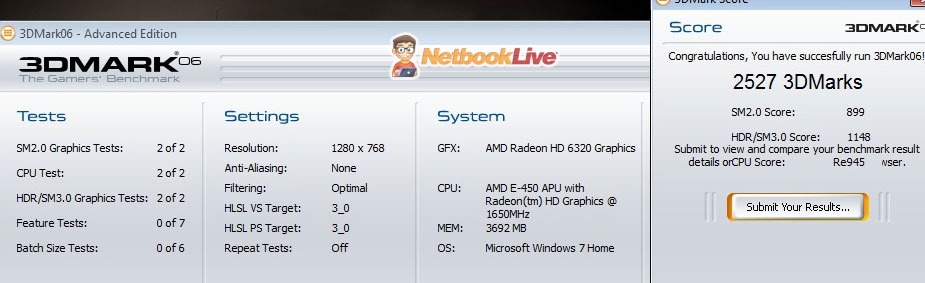
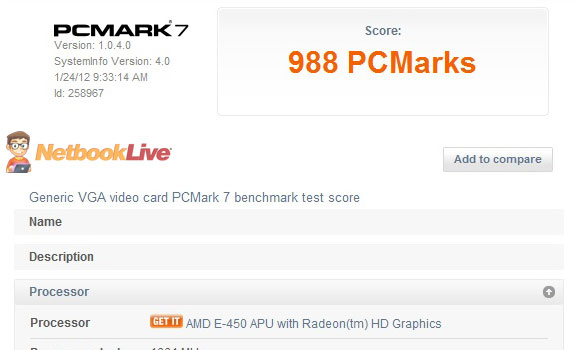
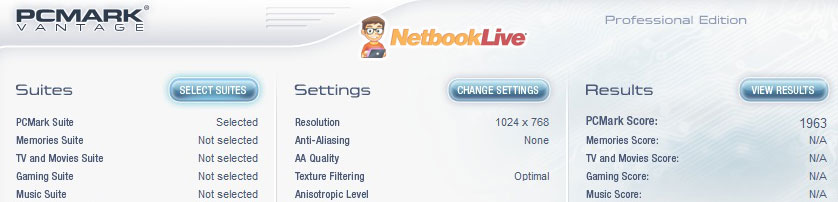
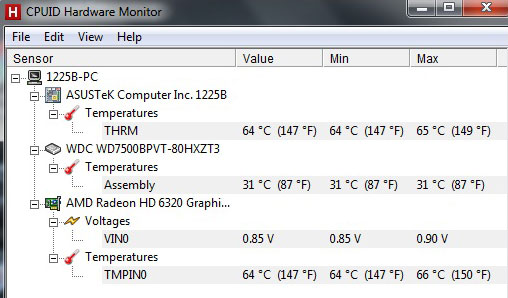
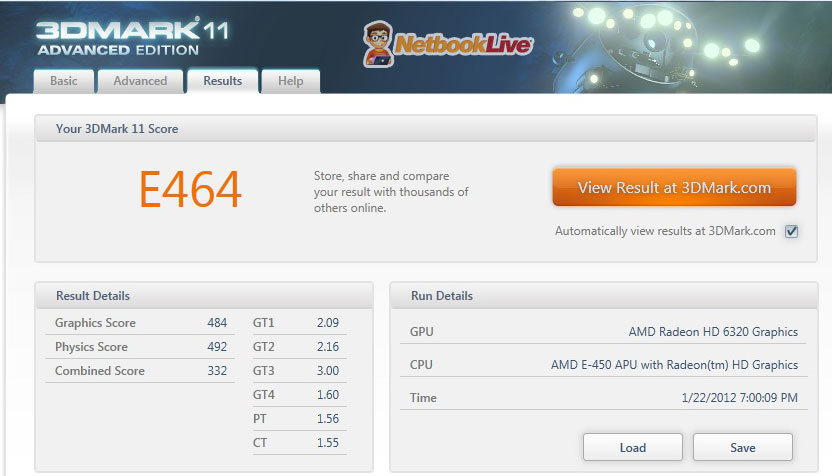
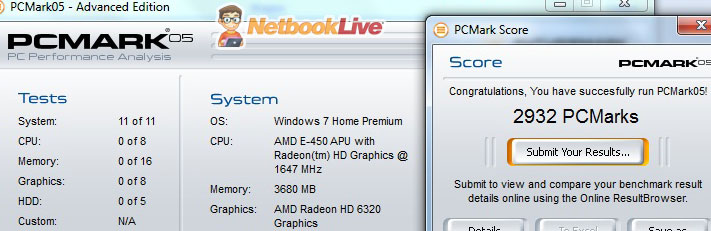
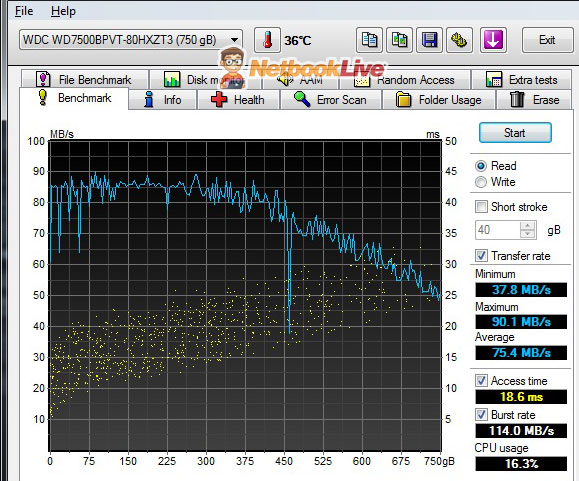
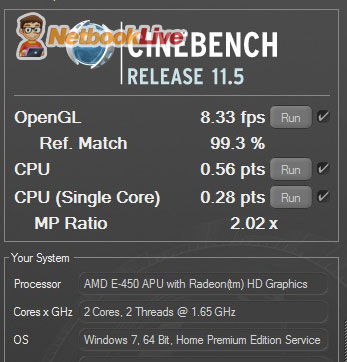
Of course, you get details on performances in the video review as well.
Noise, heat, speakers and others
Like the 1215B before, the new 1225B has no problems with overheating or excessive noise. Yes, the fan does kick on and the laptop gets warm on its bottom left part, where that massive cooling vent is placed, but that’s it, it only gets warm, even when running games or Full HD video.
On the other hand, the HDD does crank quite loudly on this test unit, but that might differ on the final versions. Still, it’s better to upgrade it anyway since it’s a slow 5400 rpm unit.
The speakers offer good overall sound quality (for this class of laptops), but I for one would have liked them to be louder as well. They should do well in a quiet environment but won’t be able to cover a noisy room.
In terms of connectivity, you’ve got all the things you’ll need on this one, with Wireless N, Fast Ethernet LAN, Bluetooh 3.0 and all the needed ports, including 2 USB 3.0 slots, HDMI, VGA, webcam, card-reader, etc.
Battery life
There’s a 6 Cell 52 Wh 5600 mAh battery inside this 1225B and that averages around 4 hours and 30 minutes of life on daily use, with screen at 70%, Wireless ON, Balanced mode ON, while performing various tasks like browsing, watching some clips online, writing texts, chatting, listening to music, etc.
That’s only a bit under the 1215B and that was to be expected, since both the E450 and the E350 come with 18 W TDP.
Also, this 1225B unit easily tops 5 hours of life in light use, while editing texts with screen dimmed to 40% and no Wireless. On the other hand, you barely get 4 hours on a charge while looping a 720p .mkv file, and performing more intensive tasks like editing a video or playing a game can easily take you bellow 3 hours.
The battery charges rather fast, in under 2 hours, and Asus did make the power brick more compact than it used to be, which helps with overall portability.
Overall I’m satisfied with the autonomy on this one, considering it does not come with a huge battery and it does pack power, unlike those smaller netbooks on the market with Intel Atom on board.
And speaking of that, Asus also prepares the EEE PC 1225C with a Cedar Trail N2800 Atom if battery life is your thing and are willing to dump graphics for that.
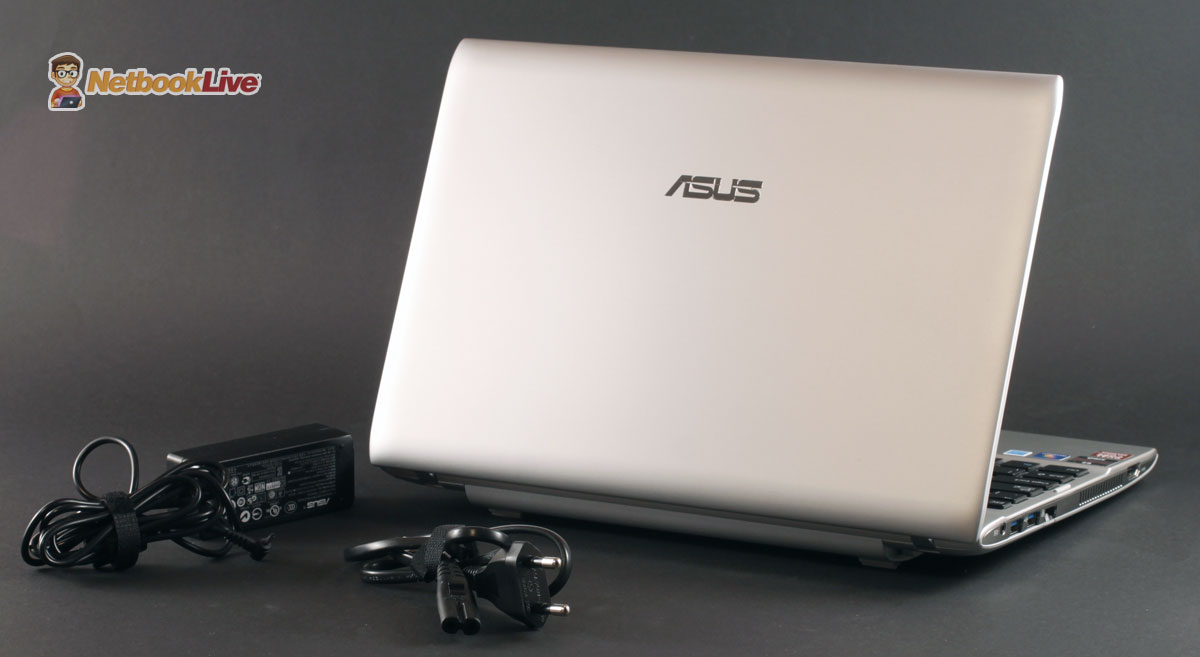
4.5 hours of average battery life and a more compact power brick
Prices and availability
Asus announced that they will bring the 1225B series in stores around March and prices will start at $399. However, that’s going to be for that AMD C60 cheaper version. The E450 model will go for about $479 in the US (about 449 euros in Europe) based on the price estimates available for my country.
That’s a bit steep considering the Asus 1215B can be found now for under $400 with that AMD E350 processor, but it’s still a fair tag and it’s close to the initial list price of the 1215B when it hit the market last year in Spring.
Update: Some shops started to accept preorders for the 1225B and the e450 version, very much similar to the one tested here, but with 2 GB of RAM and 320 GB HDD, goes for $439. That’s a fair price in my eyes, but there are no details on exact Shipping dates. Still, it can’t be long till they’ll actually start dispatching.
Update2: The Asus 1225B is now available in shops. See this link for details and reviews from those who already bought it.
Wrap up
Bottom point, the Asus EEE PC 1225B is for sure a great mini laptop and comes with a handful of improvements over its predecessor. There are still issues, mainly that glossy screen with poor viewing angles, but hey, no device is perfect.
It’s not a laptop meant for everyone, as it’s mainly a device you can easily carry around, while being more powerful than an average 10 inch netbook. So it should be good for school, for journalists in the field, for those who travel a lot and need to have work done (otherwise they could get a tablet). On the other hand, this is not the perfect device for desk-life, as the screen is small and the overall platform is not that fast. It does a great job though at being versatile while portable, and those are its greatest assets.
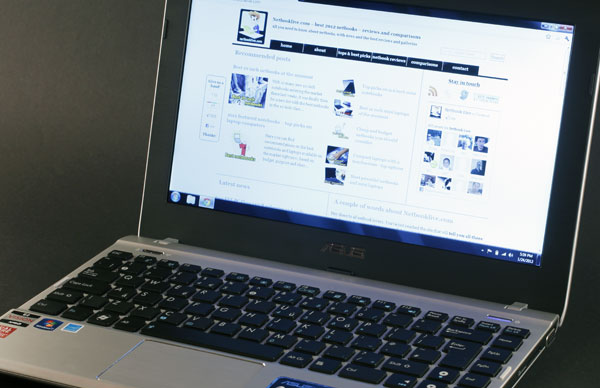
The Asus 1225B is a top 11.6 inch mini laptop right now, but faces tough competition
Of course, the new 1225B faces serious competition from a bunch of other good 11.6 inch laptops, with competitors from Acer or Lenovo popping in my mind right now. But competition is good for us, the final users, so the more good laptops in the class, the better.






Bob
February 12, 2014 at 5:57 am
My ASUS 1225B is movingI think the hinges is the problem……….
QT: is it fixable?
Bob
February 12, 2014 at 6:00 am
I mean the display screen is moving….
more comment I agree with you this is not good for hungry apps……
Laura
June 2, 2015 at 5:28 am
My back hinges or something have an issue. I have been told this is common. Im in Australia, how does one fix this?
Geoff
August 22, 2015 at 3:01 am
Laura, I’ve started disassembling my 1225b because it died after being caught in the rain. My screen hinges had been loose for a while, and on disassembly, I found that the screws securing the hinges to the main frame had loosened. Also, one of the bosses into which the screws are threaded had broken, with the result that the screw can no longer be properly tightened. The hinges are the least of my worries right now, but if I get the PC running again, I will try to bolster the broken boss with 5-minute epoxy, and I will put Loctite 242 or equivalent thread locker on the screws before I reinstall them. Loctite 242 should prevent the screws from loosening, but will still allow them to be removed when necessary.
I see that you can purchase replacement hinges online, but my hinges are fine, it’s only the screws loosening that is a problem.
Incidentally, I think my motherboard is dead, so if any one is parting out their 1225b, or has a complete one they want to sell, please post here.
To
February 9, 2016 at 1:29 am
I’m looking for a 15.6″ laptop under $1000 with at least an Intel i5 8 gigs of ram and 1 terrabyte hardive Dell is very much preferred touchscreen is unnecessary but ips would be appreciated at least 40Whr battery. It would be nice if it had a largely metal body and backlit keyboard a spill resistant keyboard would be very nice as that is the reason for a new computer. Thank-you in advance for your suggestions.
Andrei Girbea
February 12, 2016 at 12:44 am
You should look at the Dell Inspiron 15 5559, doesn’t get a spill resistant keyboard though. For that you’ll have to look into the Latitude series or the Lenovo Thinkpads, and since those are busies-grade laptops, they might not fit within your budgets.
Yosef
February 14, 2023 at 5:51 pm
It is good for electrically machaine connect and repairs, like