
Asus 1215N review summary
Netbooks are usually compact machines, great to have when traveling. Unfortunately, most of them offer poor performances. That’s not the case with this Asus 1215N we have here, a 12 incher boosting new generation dual-core Atom processor and the latest Nvidia ION with Optimus.
These specs make it a compact multimedia machine, capable of running all kinds of video content, output it on a bigger screen or play some of the modern games.
I must say that the 1215N EEE PC is the most impressive netbook I’ve seen so far. Besides the extra performances, there are some improvements on the exterior also. And all these with a decent price of around $500 in the US.
Pros:
- Very good overall build quality
- new materials used for the exterior casing, with a smooth matte plastic for the lid cover and a textured plastic for the bottom part
- great hardware: Intel Atom D525 1.8 GHz dual core processor, nVIDIA Ion graphics, 4 GB of memory, 320 GB storage
- nice Full-size chiclet keyboard, although it has some layout problems
- wider trackpad with multi-touch gestures, now separated by the rest of the palm rest
- palm rest area is now matte too
- display is OK, with good viewing angles and decent brightness
- sound quality is very good for a netbook
- pretty light (around 2.9 pounds)
- offers Windows 7 Home Premium as standard
- final versions will offer 2xUSB 3.0 slots
- battery life is good considering the performances: around 4-5 hours on a daily basis use
- price is good (around $500) for what it has to offer
Cons:
- display and the area around it are still glossy
- screen only tilts back to about 120 degrees
- keyboard has some flex and some poor picks in terms of layout (only for the European version, US version will be OK)
- trackpad’s click button is awful
Conclusion:
If i were to go for a compact computer with good multimedia performances, the Asus 1215N would be that one. It is good looking, well built and powerful, so definitely a good pick. It is true that for about the same price you can get laptops with ULV hardware; those will be faster in everyday tasks, because of the better processors, but will not be a match for this one in terms of graphics.
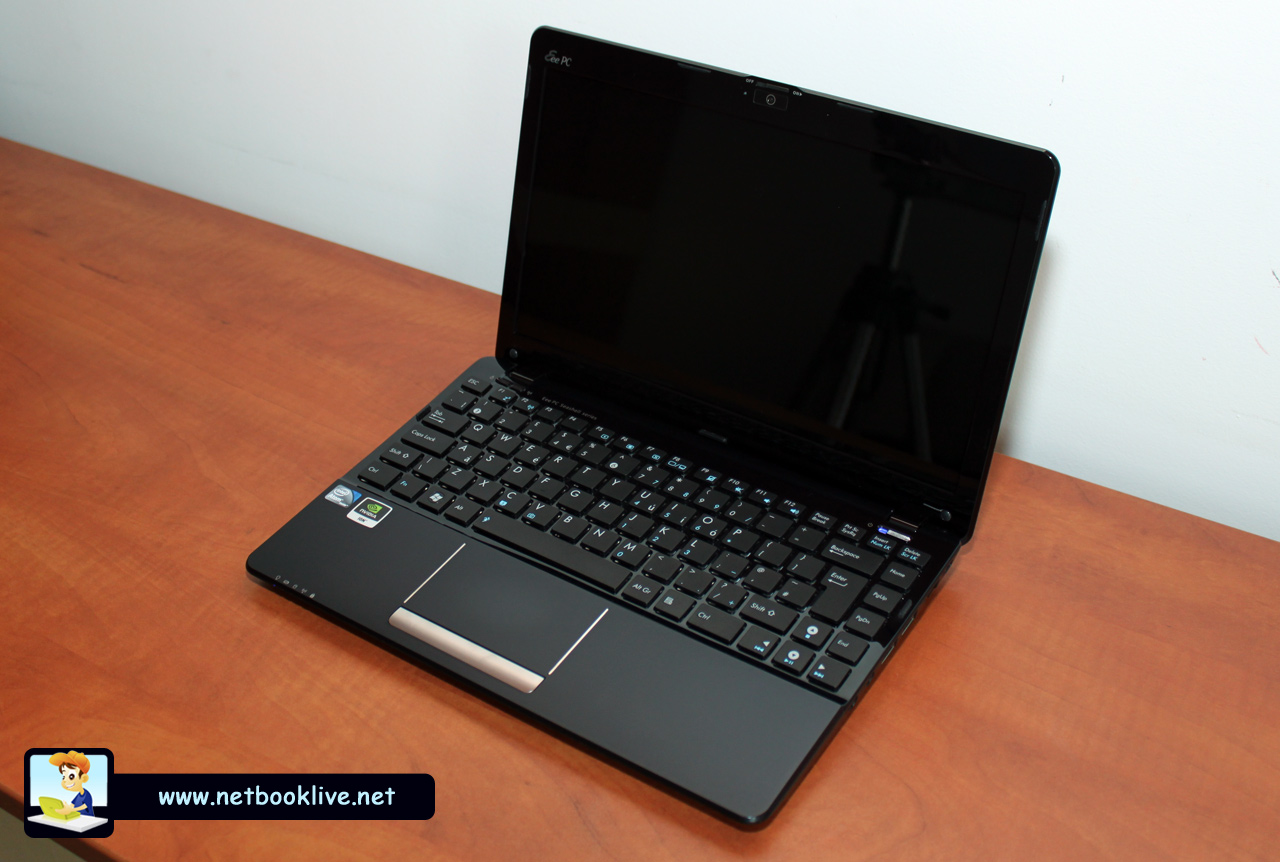
Asus 1215N mini laptop - powerful and good looking
Overall, the Asus 1215N is one of the best netbooks you can get these days and definitely the snappiest of all the others I’ve tried in the past. Differences from the older 1201N are there and since this one sells for the same price as its predecessor, there’s no reason not to choose the 1215N.
Prices, versions and where to buy
Like I’ve said before, Asus announced that the 1215N will be available in stores for $499. For this kind of money, you will get all the features and specs listed below, but only 2 GB of memory, not 4 like this test version offers.
Update: You’ll hardly find the 1215N in stores anymore these days, as it is after all a 2 years old machine. However, Asus has the 1225B, not really the same in terms of hardware specs, but overall faster and better looking, starting at around $430. See this link for my full review of the Asus 1225B series.
The Asus 1215N is one of the most awaited mini laptops of 2010, mainly because it promises way better performances than regular netbooks can offer. I had the chance to get my hands on one of these devices a couple of weeks before it actually became available in stores. You can read the detailed review bellow.
The version tested is in fact similar to the one that will hit the stores later this summer, but it comes with extra memory (4 GB instead of 2 GB).
Specs:
In terms of specs, there’s almost nothing you could ask more from the Asus EEE PC 1215N. Here’s what this test version has to offer:
- Intel Atom N525 processor, clocked at 1.80 GHz, with 2x512KB cache L2 and 800 Mhz FSB
- Nvidia ION graphics: Intel GMA 3150 + Nvidia GT218 dedicated chip (Managed by Nvidia’s Optimus technology)
- 4 GB DDR3 memory
- 320 GB storage drive + EEE storage space available online
- 12.1 inch glossy display, 1366 x 768 px
- decent connectivity: Wi-Fi N , fast Ethernet, but no Bluetooth
- chiclet keyboard and wide multi-touch trackpad
- Webcam, 3xUSB slots (this test version came with 3xUSB 2.0 slots, but the finalr elease will have 1xUSB 2.0 and 2xUSB 3.0), mic and audio out, card-reader, HDMI and VGA outputs
- 6 Cell 5200 mAh 56 Wh battery
- Windows 7 Home Premium 32-bit
So, there’s actually nothing missing, but Bluetooth connectivity (final release version will actually come with Bluetooth 3.0 as an option).
Design and build quality
The Asus EEE PC 1215N is part of the famous Seashell line. Thus, it brings the same design of its predecessors, from whom it also inherits the solid build quality and attention to details.
But there are some changes from the 1201N model. First, the exterior in no longer glossy, but matte. The lid case was replaced with a new one, made from a smooth and silky matte plastic. The bottom part is also made of plastic, but it’s not the rugged and ugly one used before, but one with a nice dimpled texture. Layout of the bottom part is changed too, with a new design for cooling vents.
There’s also a new side-port layout. Details bellow.
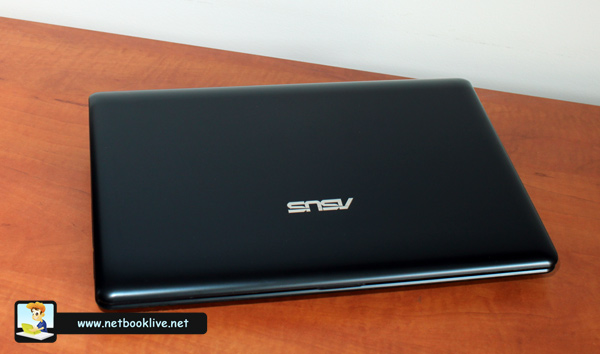
Matte plastic lid cover
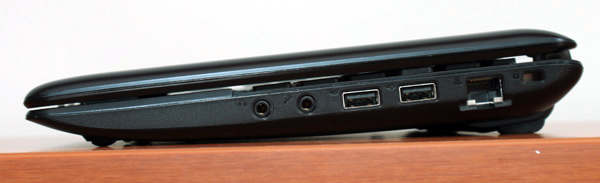
Left side - headphone, mic, 2xUSB ports, LAN and Kensington Lock
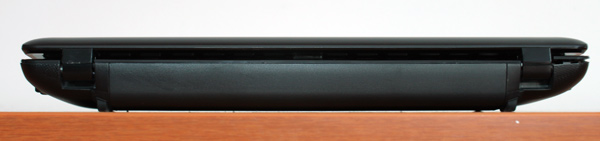
Only the battery and the hinges on the back
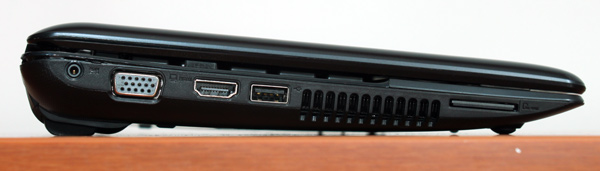
Right side - DC-in, VGA, HDMI, USB, Cooling vent and card-reader
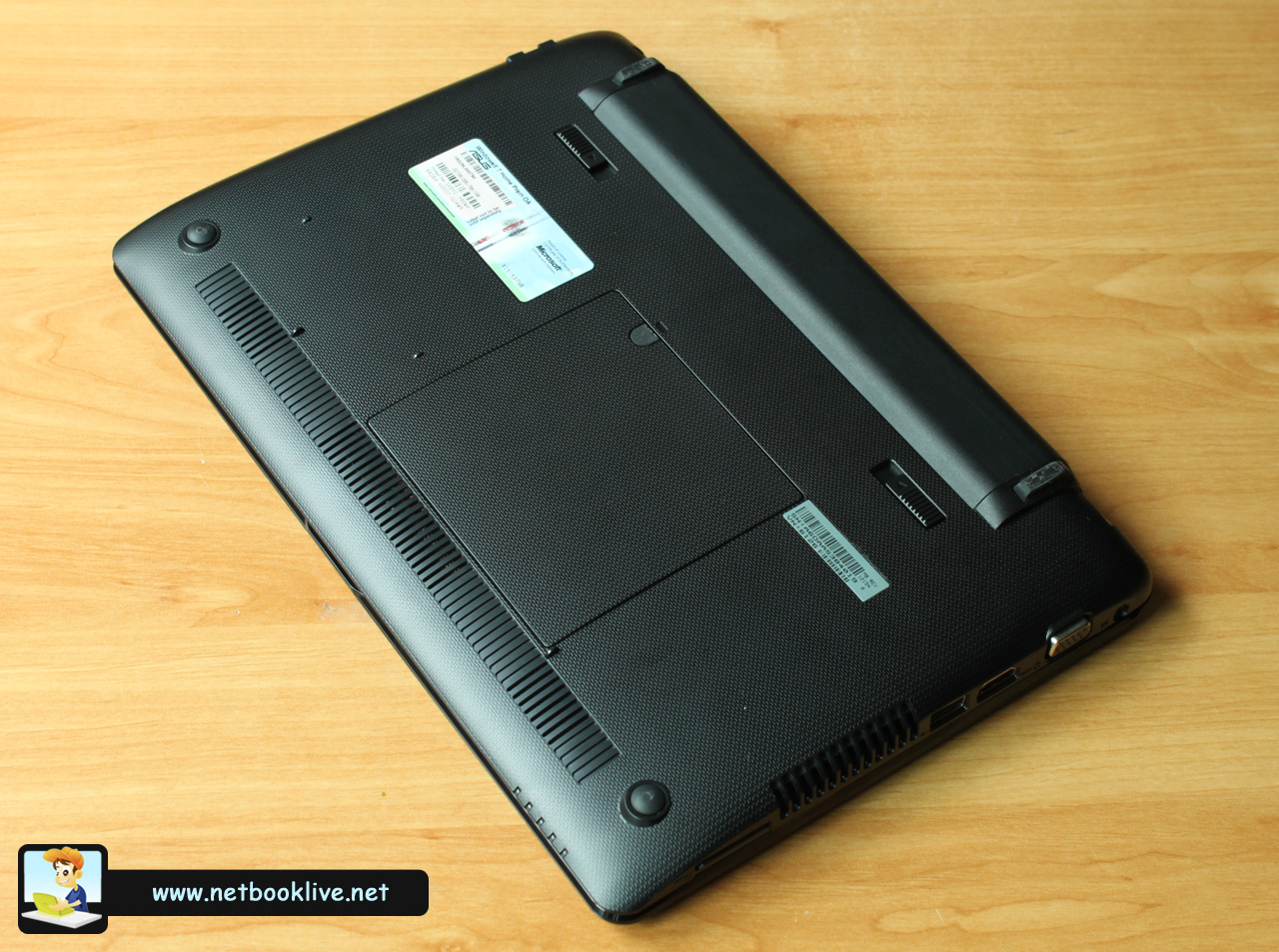
Bottom with a new layout and materials
Although the device is matte, it still catches fingerprints and smudges like crazy. They are bothering on the Black finish but almost invisible on the Silver one, so right now, if I were to pick between one of them, i would definitely go for the second.
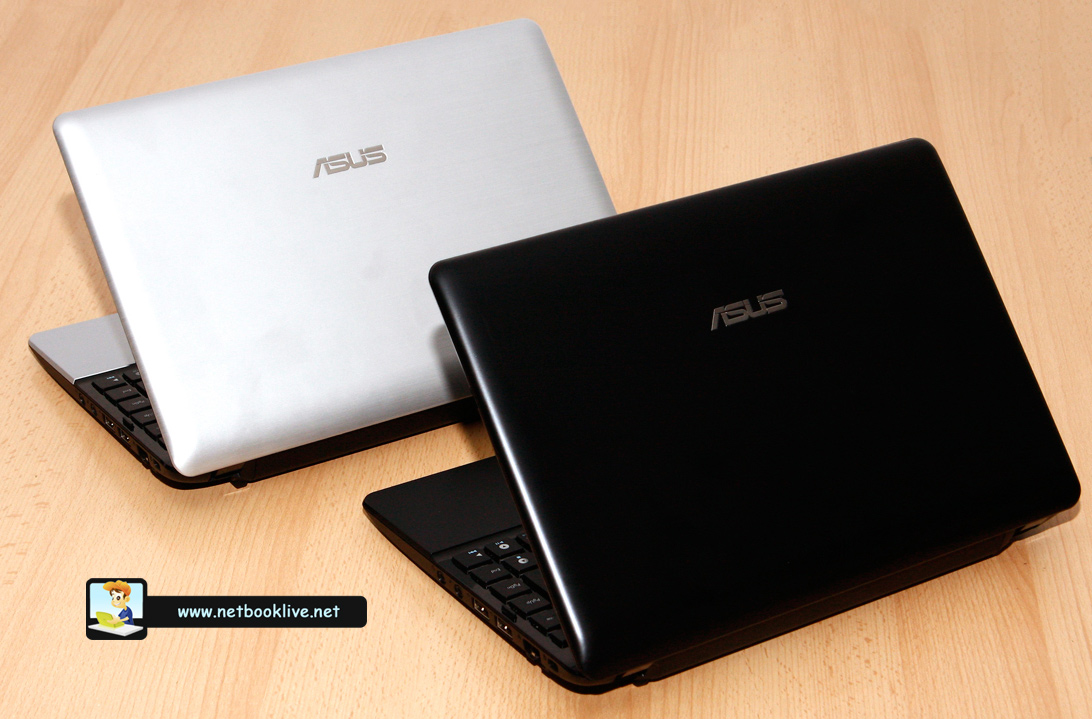
Available in Silver or Black
Details on looks and build quality are also available in the clip below.
Sry for the rubbish video quality, had some problems with my HD camera and had to shoot regular content this time.
Keyboard + Touchpad
The keyboard is more or less the same on the 1215N and 1201N. In fact, the layout on this test model is somewhat different, but I’m pretty sure this is an European version and the one available in the States will come with an identical layout as the 1201N had.
Now, I particularly don’t like the row of keys on the right that will take some time getting used to. When trying to hit BackSpace or Enter you might end up hitting Home or PgUP/PgDN and this is frustrating. Even worse is the small Left Shift key: you’ll surely end up pressing the “\” next to it when trying to capitalize some letters.

Keyboard is good, but has some layout problems
Besides these problems, the keyboard on this device is a good one, with chiclet design and nicely spaced keys. It is Full-size and you won’t have problems with it if you have bigger fingers, but it also comes with some disturbing flex.
Now, it is important to know that the version I reviewed is the one meant for European market. The one that will land in the States will have the classic keyboard, with a smaller Enter and the bigger left Shift. Other things will remain the same.
The trackpad on the other hand is completely redesigned on this one. Comes with a smooth finish and is pretty snappy and accurate. It is separated from the rest of the palm rest (which is also matte) by two silver bars and it is also slightly positioned towards the left of the device, like on the Vaios or on some Toshibas.

New trackpad is wider and better positioned, but click button is awful
The single-press click button though is rubbish: very stiff and hard to press. It might get better in time though, but a solution with individual click buttons would have been a lot better for sure.
Display
There’s not much i can say about the screen on this 1215N. It’s a standard 12.1 inch 1366 x 768 LED display, with good viewing angles and brightness. And it’s also glossy, like displays on most Asus laptops, which makes it useful only as a mirror in strong light conditions. But as long as you don’t plan on watching movies or playing games outside, you should be fine with it.
Software and performance
Like I’ve said above, this Asus runs Windows 7 Home Premium OS, the 32-bit version, with the latest drivers available right now. However, since this laptop is not yet available in stores, i would expect improvements in terms of drivers in the near future, which might boost performances even more.
Now, we know that most netbooks can’t properly multitask, because of their low-performance single-core processors. The 1215N EEE PC does boost a dual-core ATOM processor, with HT, so it can actually run decently a couple of different applications. If a browser with a couple of tabs, an instant messaging program, a music player and a text-editor managed to make N450 powered computers sluggish, that’s not the case here. And I’m not saying this is a power-horse, but it will be able to run your daily applications nicely.
I’ve said before this is a mini-multimedia device, because of the Nvidia graphics it brings. In practice this means it can run all kind of content, including 1080p self-stored or Flash clips, plus all kind of Flash games. You can see proofs in the video below.
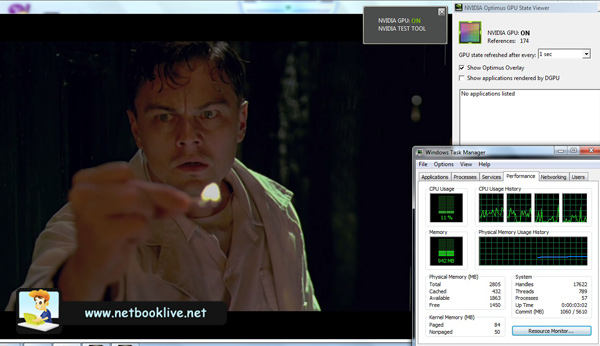
10180p clips are a breeze if you have the right codecs
However, I have to say I’ve initially had some problems running 1080p self-stored content. I’ve tried playing it with VLC Player, KMPlayer and Windows Media Player Classic and it lagged, until I’ve installed the codecs pack from CoreAVC (they are not free, but only cost $9.99, money well worth spending). After that, everything went smoothly. I’m not saying 1080p will only work with these codecs, I’m just saying that was the solution I’ve adopted.
Having Optimus on-board means the system actually changes between the two graphic solutions instantly and seamlessly. The same video will show you how fast and invisible the process actually is.
The computer will also manage to play some games. I for one tried Fifa 10, a modern football (soccer) game, and you get playable fps on 1024 x 768 with medium details. Other games should run OK too. I’ve also tried Sims3 and Anno 1404 (this one is kind of sluggish). Online games like Wow will work OK too. Of course, the 1215N is not a gaming mini laptop like the M11x from Alienware, but it can run some games if you want to have fun from time to time, as long as you’re willing to cut off details and use a lower than standard resolution.
Since this is the first laptop equipped with dual-core Atom D525 GHz processor and Nvidia ION, I’ve run some benchmarks and you can see the results in the pics below. They mostly say this CPU is better then the last-generation dual core Atom D330 and way superior to the N450. Graphics performance are better than on the previous generation ION too.
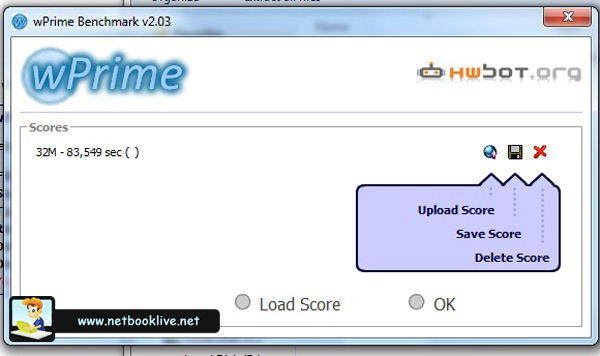
WPrime 32 results

Super PI
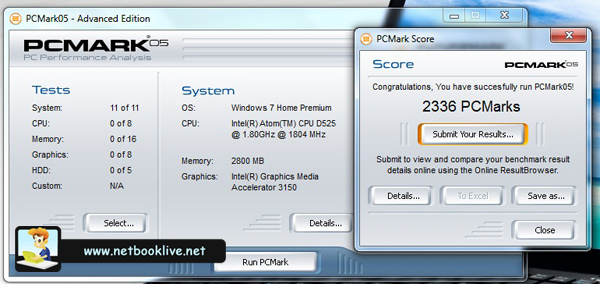
PCMark 2005
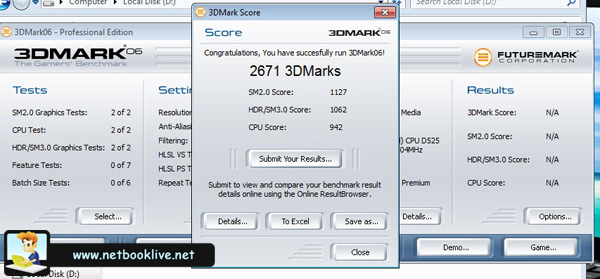
3DMark 2006
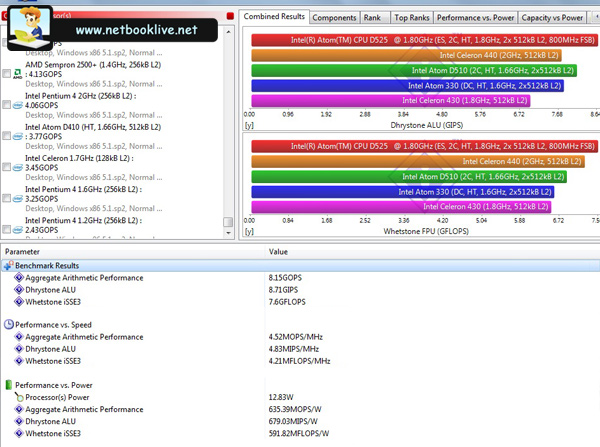
Sisoftware Sandra
An article compering the performances of this configuration with the ones of Atom D330 and Atom N450 powered devices will follow in the next days can be found right here: Asus 1201N vs 1215N .
Also, Ive’ tried a couple of extra games, including StarCraft 2, Anno 1404, Bad Company and Modern Warfare 2 in this other post.
In terms of Software, you will find the usual bloatware preinstalled on this netbook, like all kind of applications from Asus and some trial software. The first thing I would advice you to do is get rid of them and then install a proper antivirus (I for one use the Free Avast version and am satisfied with it). Still, the amount of crappy software you’ll get on a Asus is way less than on others, including the Acers or the Sony Vaios, so it should not take you more than an hour to clean it out.
Battery life
This Asus comes with a 6 Cell 5200mAh 56Wh battery. Now, depending on what you’re going to do with it, you would get an autonomy of around 2.5 to 6 hours, although on paper Asus will claim more. Here are some details:
- playing an 1080p HD clip with screen brightness set to 100%, High performance Mode, maximum speaker volume and Wi-fi On will get you around 2.5 hours of life
- playing a 720p HD clip with screen brightness around 70%, Wi-Fi Off, balanced Mode and while using headphones will get around 3.5-4 hours of battery life
- surfing via Wi-Fi while listening to music, editing texts and some photos and with YM on and screen brightness to around 70% will get you around 4.5 hours of life (you should know that having Yahoo Messenger on automatically starts the Nvidia graphic chip)
- using it in office mode with Wi-Fi Off and screen brightness to 50%, with a couple of applications opened but no music, will take you up to 6 hours of battery life
In the end, having Optimus on this Asus does help increase autonomy, but only if you don’t run applications that will turn the Nvidia chip on. So as long as you use the device for basic stuff, you will have decent battery life.
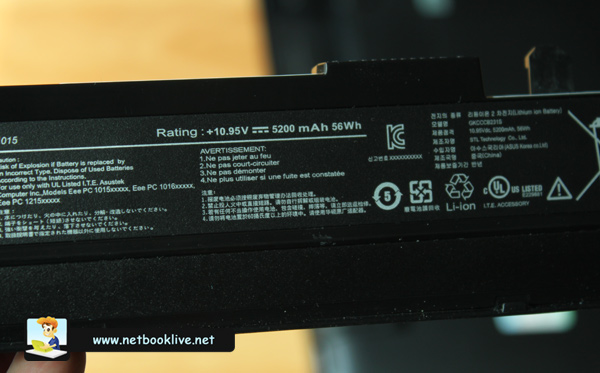
Decent battery life for the performances and price
Now, for using it daily, an autonomy of around 4-4.30 hours is what you should expect. Other netbooks will offer more, but considering the capabilities of this mini laptop and its price, I declare myself satisfied with what it can provide here.
Other things
This device runs pretty cool most of the time, even in games or when playing HD movies. There is some warm air coming from the left cooling grill and processor’s cooler do starts from time to time, but there’s nothing disturbing in terms of heat or noise. I don’t know if that has anything to do with the new cooling vents layout.
The Asus 1215N comes with a 1.3 Mpx webcam, not the best you can get, but decent for Skype or other similar messaging software. Haven’t given it much thought as that’s not something i really care about on a computer.
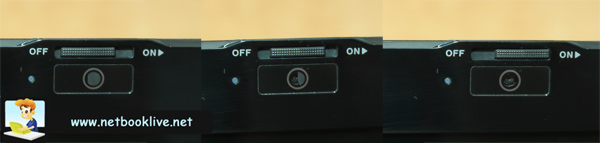
Webcam with privacy cover
Also, speakers on this device are good, like on most Seashells and definitely better than what I’ve seen on other netbooks, including all the Acers and Toshibas. Still, that doesn’t mean I’m going to give away my headphones for them.
Prices and where to buy
As you’ve seen in the rows above, the 1215N EEE PC is an interesting device. Packs good hardware inside a 12.1 inch form factor, but also decent looks and build quality. All these for around $500, which is the same as its predecessor sells these days.
This Asus will be available in stores in the United States from the end of this summer. It will be available in Black and Silver and you will be able to preorder the device if you want to get it just in time for this year’s school debut.
Update: You won’t find the Asus 1215N in stores anymore, but you’ll find the 1225B, a close and modern successor, with better hardware, features and a redesigned body. The thorough review for the 1225B EEE PC should tell you more about this one.
Bottoms up
In the end, I can say I like this Asus mini laptop. I particularly like that it manages to pack some power, enough for it to act snappy in everyday tasks and run fine my daily applications. Plus, it can handle all kind of video content, self stored or Flash and a bunch of modern games. Thus, the 1215N is a compact, light and affordable multimedia notebook.
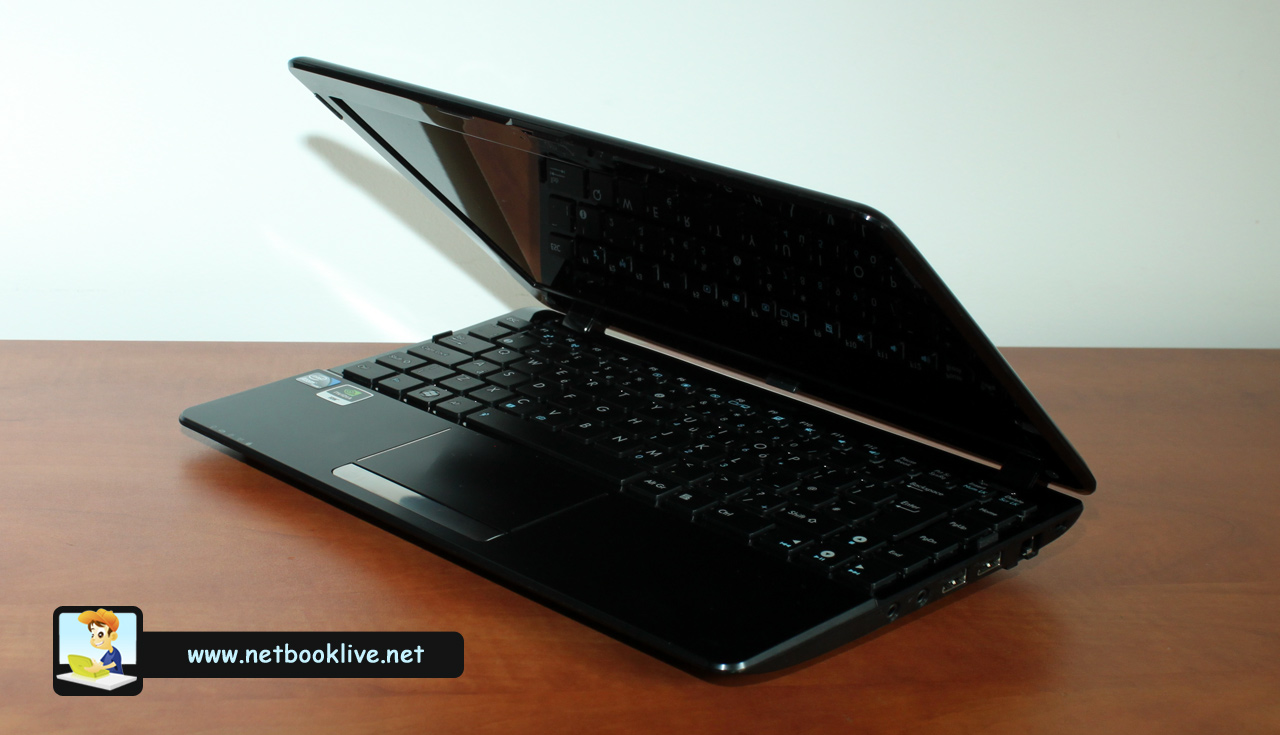
Asus 1215N EEE PC - a good pick
It is true that for $500 bucks you can get devices boosting Intel’s ULV platform, which will bring faster processors, but graphic experience won’t be as good. Also, you might even find some decent full-size laptops within this price range.
In the end it’s up to you to choose from these options. The 1215N definitely has its strong points and is definitely a solid pick. But that doesn’t make it automatically the best for each one of us.





Erwin
September 30, 2010 at 6:49 am
Hi Mike!
Have you noticed any issues with the WLAN? My connection to access points seems weird as I keep on getting disconnected/re-connected whereas my friend’s VAIO laptop gets a stable connection (We are connecting to the same acces point). Any suggestions on how to remedy this? Are there any driver updates? I have the asian version and using Atheros for Ethernet and Broadcom for wireless.
Your inputs will be very much appreciated.
Thanks!
Andrei Girbea
September 30, 2010 at 11:01 am
Erwin, I had no problems with Wi-Fi. But i’ve heard others had them also. Not sure what to say, but you’d better search on google for “1215N problems wi-fi” stuff like that. Sry I can’t do more here…
Boko
October 6, 2010 at 2:29 pm
Hi Mike 🙂
Great review buddy! I’ve watched your videos in youtube abt the 1215n 😉
I have a couple of questions considering the same device. First of all – about the RAM upgrade: Do you know what’s the chance to get 2x1GB modules or 1x2GB module + one empty slot when you buy the 1215n?
Second: When you install a 64bit os, is the device using all the 4gigs ram, i mean is there a hardware limitation?
And last but not least – do you have any impressions about the temperatures in idle mode and under load? CPU/VGA/HDD?
10x bro, greetings from BG 😛
Andrei Girbea
October 6, 2010 at 4:55 pm
Hey Boko
You’ll get 2×1 GB on most devices, I haven’t seen one yet in any store available with a 2 GB Dimm
Even with installing 4 GB of memory, you won’t be able to use them all, as there are hardware limitations from the D525 processor and Ion
Temperatures where not a big concern on my test unit. Don’t have it anymore to post more accurate data on the temperatures you asked for though
Charles
October 6, 2010 at 10:47 pm
Norton stinks! old Norton from several years ago was OK, bit anything the last couple years hogs more resources on any machine. I lightly noticed it on my desktop with Athlon X2 5400+ black edition CPU. I only use Kaspersky Internet Security or ESET NOD 32 smart security system.
I didn’t like the boxes of Kaspersky 2009 I purchased last year (bought 3 sets of boxes for 3pcs each when on sale for $25), so I used my Kaspersky Internet Security 7.0 disk and 2009 key. About to redo windows on my desktops and use another key from 2009 to start over again and try 7.0 on the 1215n (used on an old acer aspire one before and was perfect no issues). 2009 was a little resource intensive as compared to 7.0 but was better than Norton!!! I cant speak for anything newer than 2009 though.
george
October 10, 2010 at 1:52 pm
great review.informative
my questions..
does d525 has l3 cache?
i am doing a project on signal processing and is planning to buy a cheaper laptop..i want to know whether 1215n can run matlab,pcad etc. smoothly.
Charles
October 11, 2010 at 11:31 am
I seen one site say it does another says it doesn’t- pretty sure no L3 in the D525, but dont go by what I say in any means; but if you need a netbook with CPU power I would get an AMD NeoII dual core K625 netbook or even better one with an ULV Core i3 (with nvidia graphics, but cost like $230 more than the 1215n) the Neo poewered netbooks have less battery life I guess though. I read a D425 might come out and have L3 cache though and its single core.
Andrei Girbea
October 11, 2010 at 11:38 am
No L3 cache on D525. here are the specs for the CPU: http://ark.intel.com/Product.aspx?id=49490
As for Mathlab, I haven’t run that one in a while, but I’m pretty sure it will take ages to load on Asus 1215N, not to mention compute something. So If you’re looking for a laptop with some precessing power, go for at least an Su7300 euqiped one, or even better a Core i3/Core i5 one
DeathDemon
October 12, 2010 at 12:29 pm
@ Mike .. Will the Asus be able to play .mkv file out of the box??
Andrei Girbea
October 12, 2010 at 1:53 pm
Not sure if out of the box. But for sure with CoreAVC codecs. I’ve tried .mkv files after getting those and worked flawlessly.
george
October 15, 2010 at 1:14 pm
what i stil dont understand is..if this one can process intens graphics applications(HD content and games) then why not math computations too..??
basically graphics processing is complex math.
dual core with HT means more cpu Power,right??
Could You compare it to the core 2 duo processors ??
george
October 18, 2010 at 2:58 am
hey can core i3 370m without dedicated graphix card can do more than asus 1215n spec or does it need a graphix card..??
Andrei Girbea
October 19, 2010 at 11:45 am
I’ll look into that
Erwin
October 25, 2010 at 11:16 pm
Hi Mike –
This might be OT but do you have any idea when the 1218 will be released? My wife wants to have my 1215N and I would need a new one for me should I give it ot her 😀
Andrei Girbea
October 26, 2010 at 8:11 am
Erwin, i believe that one was dumped. Haven’t seen any details about it since late Spring, so…
DeathDemon
November 11, 2010 at 3:46 am
Anyone out here Hav anything to complain abut the Power Plug of this Laptop?
onizuka
November 24, 2010 at 2:56 am
I’ll be getting this some time this week, nice review, although the CoreAVC kinda kills the whole idea of GPU accelerated decoding of video files, since CoreAVC uses processor for that.
From my experiences, Media Player Classic Home Cinema works best for Windows to get GPU decode video files.
Thanks for the review!
final
March 23, 2011 at 8:03 pm
“great hardware: Intel Atom D525 1.8 GHz dual core processor, nVIDIA Ion graphics, 4 GB of memory, 320 GB storage”
where can I buy one with specs??, specially the 4GB of RAM???? thx